


Knowledge › Practical
Practical
Protecting your signature online: what not to post, and what to do if something looks wrong
A picture of your new signature, a photo of a signed contract, a signature PNG in a shared folder: they seem like small things, but they're worth a thought. Practical tips on sharing, storing, and what to do if you suspect misuse.
For decades we only handed out our signatures on paper, one at a time, and the paper stayed where we signed it. Today a signature can become a photo, a screenshot or a file in seconds, and a file can easily end up somewhere we never meant it to go. There's no need to panic: in most matters an image of your signature isn't the only thing that counts, and banks and offices identify people in other ways too. But there's no reason to make things easy for anyone who might want to misuse it: a clean, high-resolution image of your real signature doesn't belong anywhere public. In this article we cover what's best not to post, why cropping is a risk, how to share while still protecting your signature, how to store your signature images, and what you can do if you suspect someone has misused it. This is general, practical guidance, not legal advice: for a specific case, your bank, the office concerned or a professional can point you in the right direction.
Why it's worth looking after
To write a signature by hand, someone has to be there, hold a pen and repeat the movement. An image of a signature needs none of that: anyone who gets hold of it can paste it onto another document in a few clicks. A pasted image like that is rarely enough for anything on its own, but it can cause confusion, create awkward situations and take time to sort out afterwards.
- An image can be copied. Anyone can forward, crop or paste a file, a photo or a screenshot. Once something is shared publicly, it's hard to take back.
- An image lasts. A post from years ago may still be around somewhere: in an archive, a backup, someone else's screenshots.
- A signature isn't a password. You can change a password; changing your signature is much harder. So prevention beats repair.
The goal isn't to make you afraid, but to help you decide deliberately. Your signature is personal information in the same way your address or date of birth is: not a secret, but not something for a billboard either.
Your signature doesn't need to be locked away; it just doesn't belong in the shop window.
What not to post
Most risky sharing isn't deliberate. A proud photo, a quick screenshot, a request for help on a forum: there's the signature in the middle or at the edge of the picture, and it doesn't even cross our mind.
- A clean, high-resolution image of your real signature. On a white background, sharp, on its own: that's the easiest thing to crop out and paste somewhere else.
- Photos of signed documents. A new flat's lease, an employment contract, an official letter: the celebratory post shows your signature, your name and often your address too.
- Pictures of identity documents. Identity documents typically carry your signature alongside your photo and details. Don't post them in any form.
- The back of a card. If your bank card has a signature strip, a photo of the back can show both your signature and the card's details.
- A signature image in your CV or email signature. A nice email signature doesn't need your real signature. A typed name or an unofficial decorative version looks just as good.
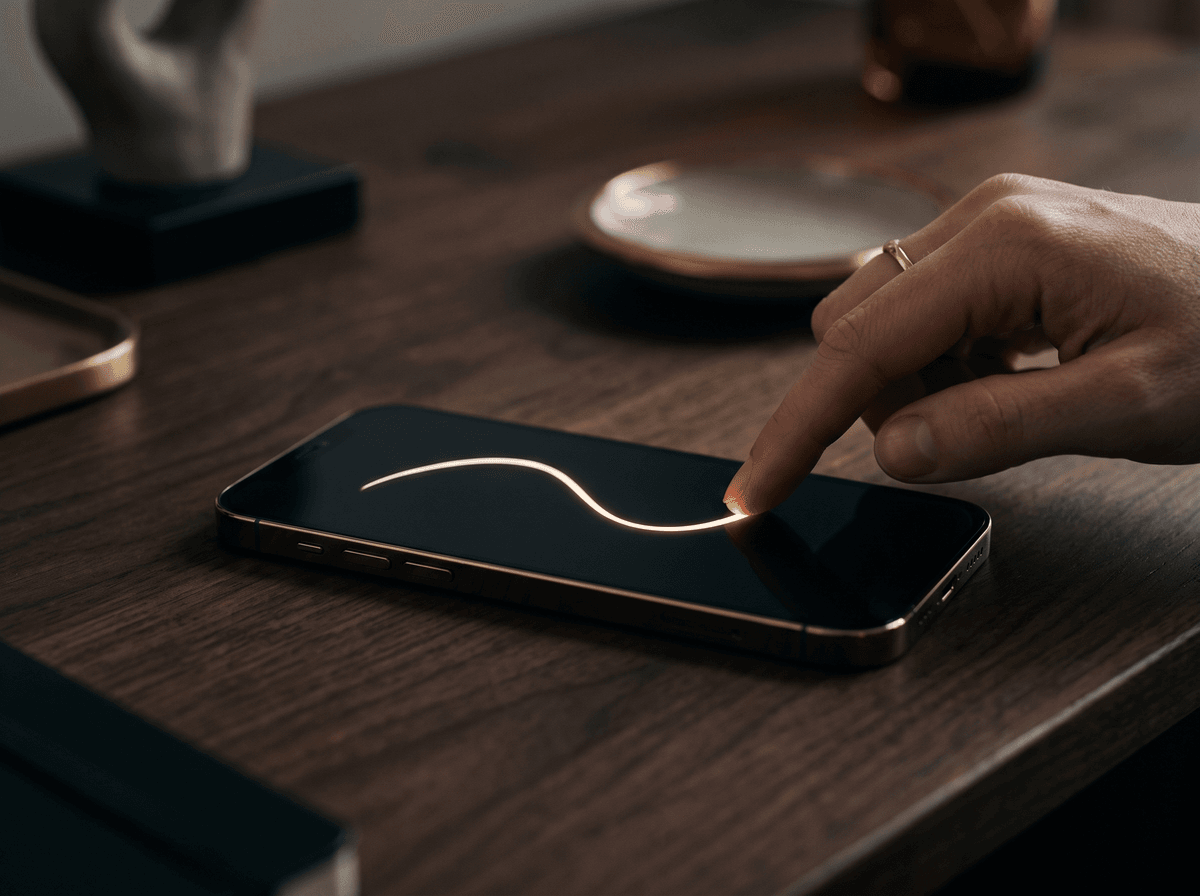
If you want to show off the style of a new signature, choose a version you don't use officially, or an image with a protective pattern running across the signature. More on that below.
The cropping risk: what you forget at the edge of a photo
A photo or screenshot often holds far more detail than you notice at first glance on a phone screen. A contract lying in the corner of a desk shot, a letter in the background, a paper held up to the camera in a video-call screenshot: zoomed in, these can be perfectly legible.
- 1Zoom in before posting. Open the image at full size and look over its corners, its background and any reflective surfaces.
- 2Crop before you share. If something isn't part of the point of the picture, crop it out. Don't just cover it with a sticker if the app might later let someone separate the layers.
- 3Don't just blur it. Light blurring is sometimes not enough. If you want something gone, a fully filled, opaque rectangle is safer.
- 4Watch the resolution. The bigger the image, the more detail can be read from it. Social media rarely needs full resolution.
- 5Remember screenshots. Anything you share in a closed group or a private message can be screenshotted and passed on.

If you do want to show it: protective patterns and watermarks
It's completely understandable to be proud of a new signature and want to show it. You can do that without the image becoming a clean, reusable copy.
- A pattern across the strokes. A faint, repeating pattern running across the signature itself makes it much harder for anyone to crop out a clean copy.
- Lower resolution. A smaller image is plenty for social media. What looks good on a phone screen doesn't need to be print quality.
- An unofficial version. If you want to show the style, pick a version you don't use at the bank or for official matters.
- Before and after, not on its own. A comparison image showing your old and new signature together is less suited to either being reused on its own.
Calligra's before & after card and video carry a faint protective pattern over the strokes by default, so nobody can crop a clean copy from a post. If you share it, leave it switched on. We describe the details on the Security page.

Your signature images: keep them private
Many of us have at least one file of our signature: a scanned image, a transparent PNG for PDFs, perhaps a vector SVG. They're very useful, but they deserve the same care as a key.
- 1Know where they are. Check your computer, your phone and your cloud storage. Old copies often linger in the Downloads folder or as attachments to old emails.
- 2Keep them in one place. On a password-protected device, in a folder that isn't shared. Not on the desktop, not in a shared family or work folder.
- 3Watch your syncing. If your folder syncs to the cloud, check that it isn't shared with others and has no public link.
- 4Delete old ones. Delete outdated, poor-quality images or images of an old signature; don't just leave them lying around.
- 5Don't send it on its own. If you need to sign a document, send the signed document, not the image file itself.
If you download a transparent PNG or SVG of your signature from Calligra, the same applies: the files are in your hands, and where they end up is up to you. We cover using pasted signature images, and when an image isn't enough, in signing PDFs.
Chats, emails and shared documents
Most signatures today don't travel through social media but through everyday correspondence. A photo of a signed paper in the residents' group chat, a contract forwarded to three people, a shared folder everyone has had access to for years.
- Think about who can see it. A big group includes plenty of people you barely know. If it's meant for one person, send it to them directly.
- Don't forward it needlessly. Only forward a signed document to people who actually need it.
- Review your shares. Now and then, check which folders and documents are shared with others, and revoke what's no longer needed.
- Be careful with public links. An “anyone with the link” share can easily reach people it was never meant for.
Rachel Shaw posted a photo of a signed residents' agreement in her building's group chat so everyone could see it was sorted. Her signature and three neighbours' were clearly visible. One neighbour gently suggested that a single sentence saying it had been signed might be enough. Rachel deleted the picture, and since then she just writes in the group that a document is done, and sends the signed copy only to whoever needs it.
If someone asks for your signature
Sometimes someone specifically asks for an image of your signature: for a form, a “registration”, in an unexpected email. That's a moment to pause.
- 1Ask what it's for. A legitimate request usually has a clear reason and relates to a specific document.
- 2Check who's asking. If the request comes in the name of a bank, provider or office, don't reply using the contact details in the message; ask through the official website or the number on your card.
- 3Give a signed document, not an image. If you really need to sign something, sign that document. A standalone signature image can be used for anything.
- 4Don't rush. Pressure, threats or an offer that's too good are all reasons to slow down and check.

Signs worth watching for
Most people never face anyone misusing their signature. When it does happen, some outside sign usually draws attention to it. These signs don't prove anything on their own, but they're a reason to look into things.
- An unfamiliar contract or letter. A bill, reminder or confirmation for a service you never ordered.
- An unusual item on your statement. A charge or instruction you don't recognise.
- Someone refers to a paper you've never seen. An acquaintance or a company says you signed something you don't remember.
- Your signature image where it shouldn't be. On a website, in an ad, in a document you didn't send.
If this happens, start by staying calm. Many such cases have a harmless explanation: a typo, a mixed-up customer, a forgotten sign-up. But it's worth following up promptly and in an orderly way.
If you suspect misuse: first steps
The steps below are general, common-sense actions. They don't replace professional advice, but they help you avoid losing important information and start in the right place.
- 1Keep the evidence. Save everything: the letter, the email, a screenshot with the date and link. Don't delete it, and don't reply in a hurry.
- 2Write down what you know. When you noticed, what you saw, who you spoke to. A short, dated note helps a lot later.
- 3Contact your bank or the company concerned. Through their official contact details, not the number or link in a suspicious message. Tell them what you've seen and ask what to do.
- 4Report the post. If an image of your signature has appeared on social media or a website, use that site's reporting tool.
- 5Review your accounts. If an online account may be involved, change your password and turn on two-step verification where you can.
- 6Get professional help if needed. If your bank or provider suggests it, or the suspicion is serious, turn to a legal professional or the authorities.

Prevention in the long run
The best protection isn't a one-off clear-out but a few small habits that eventually run on their own.
- One consistent signature. If you use the same signature everywhere, it's easier to notice when an unfamiliar version turns up somewhere.
- A copy of what you sign. Keep a copy or a scan of important contracts and declarations. That way you can always compare.
- A regular glance at your statement. Not every day, but a monthly look is worth a lot.
- Only sign the final version. Don't sign blank or half-filled papers, and don't leave empty space where anything could be added later.
- Look through your files now and then. Once a year, check where your signature images are and what you've shared.
We cover keeping one consistent signature, and how to introduce a new one, in changing your signature.

A checklist before you post
Before sharing an image that might show a signature or a signed paper, take half a minute and run through this list.
- 1Is there a signature in the picture? Even in a corner, in the background or on a reflective surface.
- 2Is it your real, official signature? If so, better not to post it, or only with a protective pattern.
- 3Is other information visible? Name, address, document number, card details, other people's signatures.
- 4Does it need to be this large? A smaller image is plenty for most purposes.
- 5Who is it for? If it's for one person, send it to them directly, not to a big group.
- 6Are you fine with it travelling? Once you've shared something, others can make copies of it.
The one sentence worth taking away
Don't make a clean image of your real signature public, keep your signature files private, use a protective pattern when you share, and if something looks wrong, keep the evidence and contact your bank or the institution concerned through their official channels.
Questions
Is it dangerous if my signature shows in a photo?
Not necessarily, but it's not worth the risk. A sharp, high-resolution image of your real signature is easy to crop out and paste elsewhere. If you can, crop it or cover it completely before posting, or use an image with a protective pattern across the signature.
Is a watermark in the corner of the image enough?
Usually not. A caption in the corner or along the edge can be removed with a simple crop. If you really want to protect the signature, the pattern has to run across the strokes themselves.
Where should I keep my signature PNG?
On a password-protected device, in a folder that isn't shared. If you sync to the cloud, check that the folder isn't shared and has no public link. Delete old copies you no longer use.
Someone has emailed asking for an image of my signature. What should I do?
Ask what it's for, and check who's asking through official contact details, not the number or link in the message. If you need to sign something, sign the document itself and send that back, not a standalone signature image.
I suspect someone has used my signature. What's the first step?
Keep all the evidence, write down with dates what you've noticed, and contact your bank or the company concerned through their official contact details. They can tell you what to do next. If necessary, turn to a legal professional or the authorities. This article isn't legal advice.
Does a hard-to-read signature protect me?
A fluid, fast line is generally harder to copy convincingly than a slowly drawn one, but no form protects against an image being cropped and pasted. That's why what you share, and where, matters more than how legible your signature is.
Can I share my Calligra before & after card?
Yes, that's what it's for. The card and video carry a faint protective pattern over the strokes by default, so nobody can crop a clean copy from a post. Leave the pattern on when you share, and if you only want to show the style, you can pick a version you don't use officially.
Try it with your own name

Read these too
Knowledge Practical
Changing your signature: when, where and how
You can adopt a new signature at any time, but how you roll it out matters. Here's where your signature is on file, what to ask, and how to get through the awkward first weeks.
 Practical
Signing on screens: tablets, phones, terminals
At the door with a courier, at the bank, at a café counter: more and more often we sign on glass with a finger or stylus. Here's how to keep your signature recognisable and good-looking there too.
PracticalSigning PDFs and e-documents: what to watch for
Print, sign and scan? Paste in an image? Or are they asking for an e-signature? Here are your options, how to make a clean signature image, and how to keep your digital signature safe.